Your family's week, on the wall.
Rooday turns a tablet you already own into a calm, colorful family calendar. Kids tap their face to see their day and check off chores for stars. Grown-ups finally get one place for practices, school emails, dinner plans and the grocery list.
$10/month for the whole family · No hardware to buy · Unlimited people and devices
Works on the screens you already have, and the calendars you already use
- 📱 iPhone & iPad apps
- 🤖 Android app
- 🔥 Fire tablets
- 💻 Any computer
- 📅 Google Calendar
- 📨 Outlook
- 🍎 iCloud
Why families switch
Stop being the family's walking calendar
When the plan lives in one grown-up's head, everyone asks that grown-up. Put it on the wall and the whole family can see it, read it and help.
Everyone can see it
A color and a face for each person, readable from across the kitchen. Even pre-readers know which plans are theirs.
Kids do their part
Chores with big pictures, one-tap check-offs and stars. The chart reminds them, so you don't have to.
Grown-ups breathe
School emails, practice schedules and dinner plans land in one place, on the wall and on your phone.
⚡ Live, everywhere
Liam checks it off on the wall. Your phone knows.
Every change shows up on every screen in a second or two, with nothing to refresh. The moments that need you pop up with a button, so you can say yes from wherever you are.
- Approve chores and give rewards right from the alert
- Badges show what's waiting for a grown-up, on every screen
- A tablet that was asleep or offline catches up the moment it's back
- Kids' tablets only get the alerts meant for them
- Prefer it quiet? Switch alerts off and screens still stay in sync
Liam finished 🛏️ Make your bed
Liam gets ⭐ 2 once you say it's done.
Emma asked for 🎬 Pick the movie
⭐ 20 stars
Picture day + early dismissal
2 dates to check · from Lincoln Elementary
Liam finished every chore today!
34 ⭐ and counting
📅 Calendar
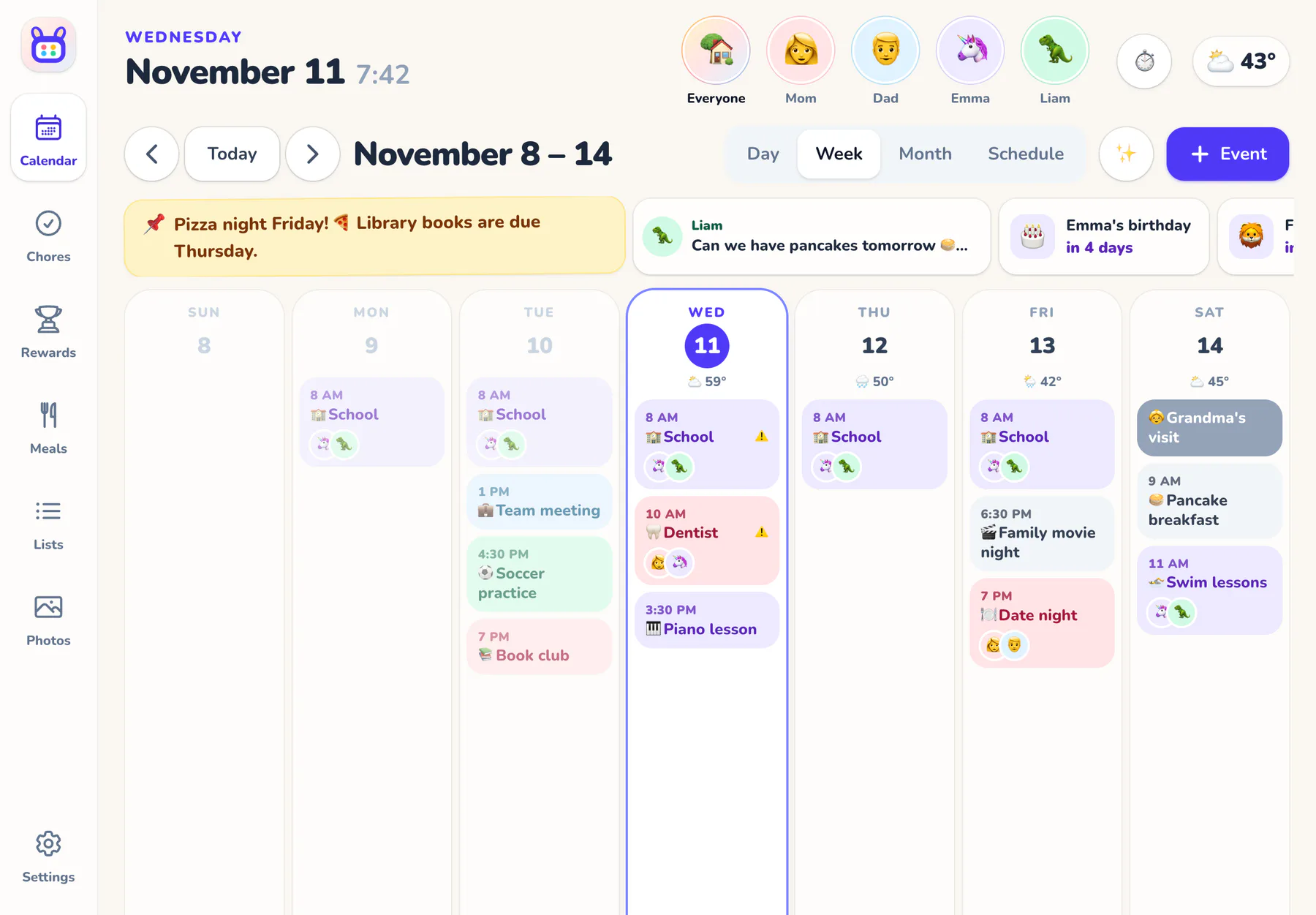
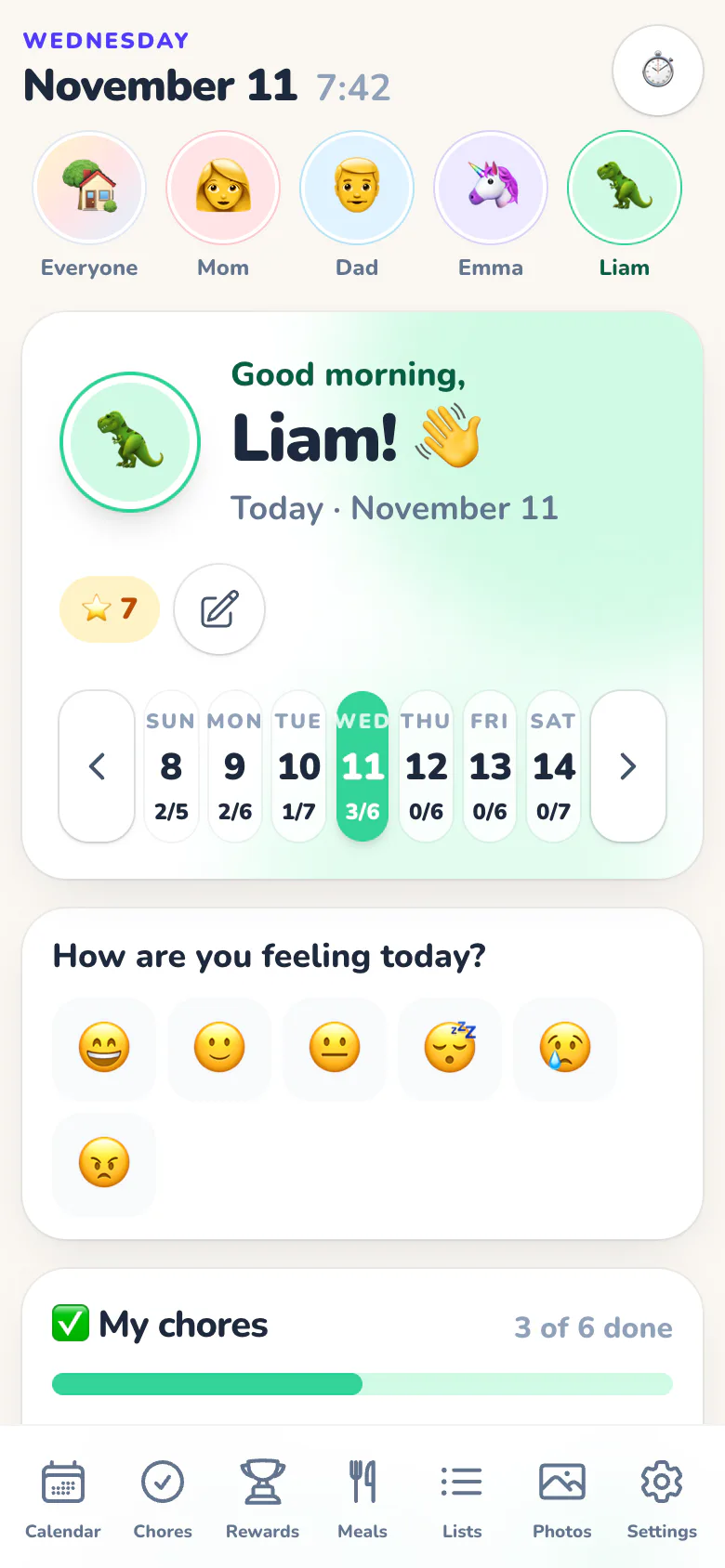
Everyone's plans, at a glance
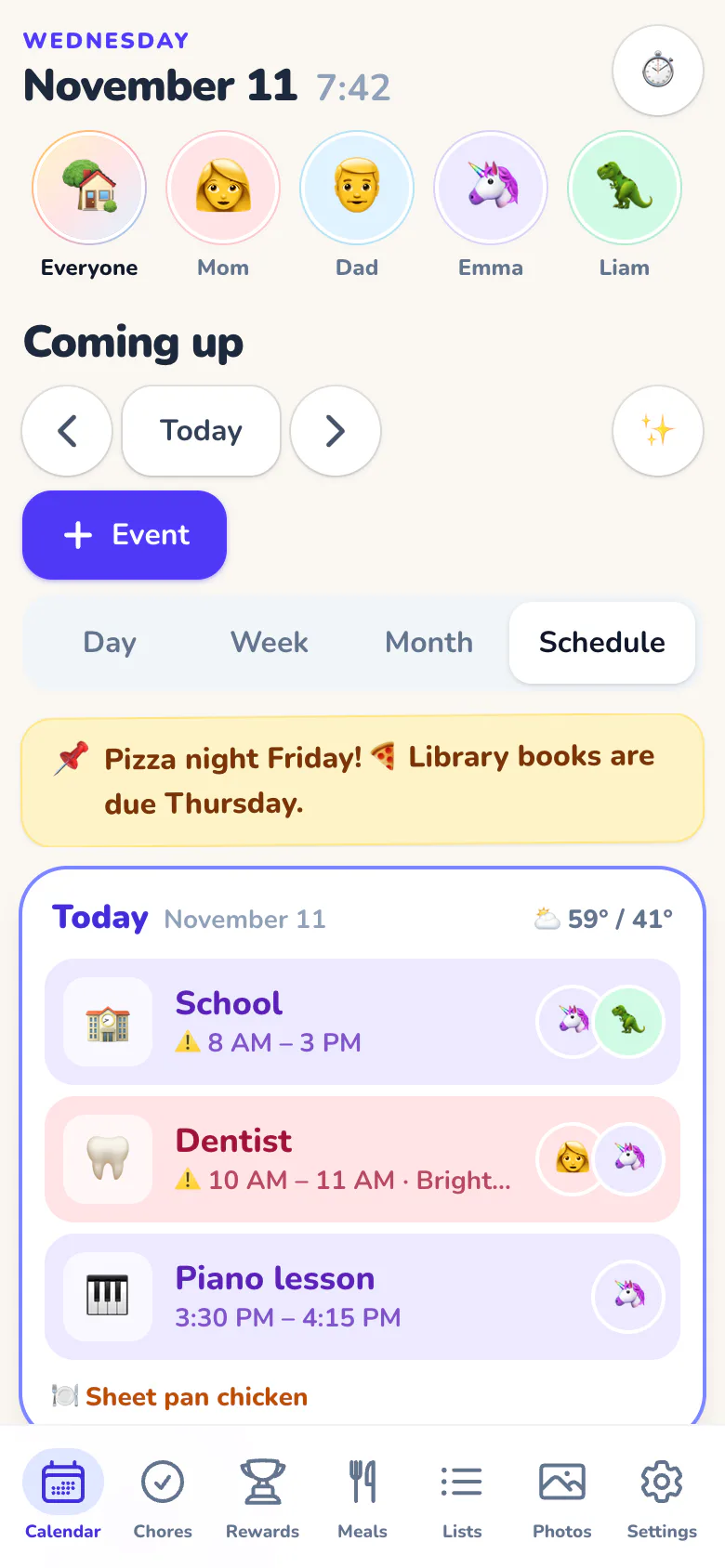
Each person gets a color and an avatar. Tap a face to see just that person's day, or look at the whole family's week at once.
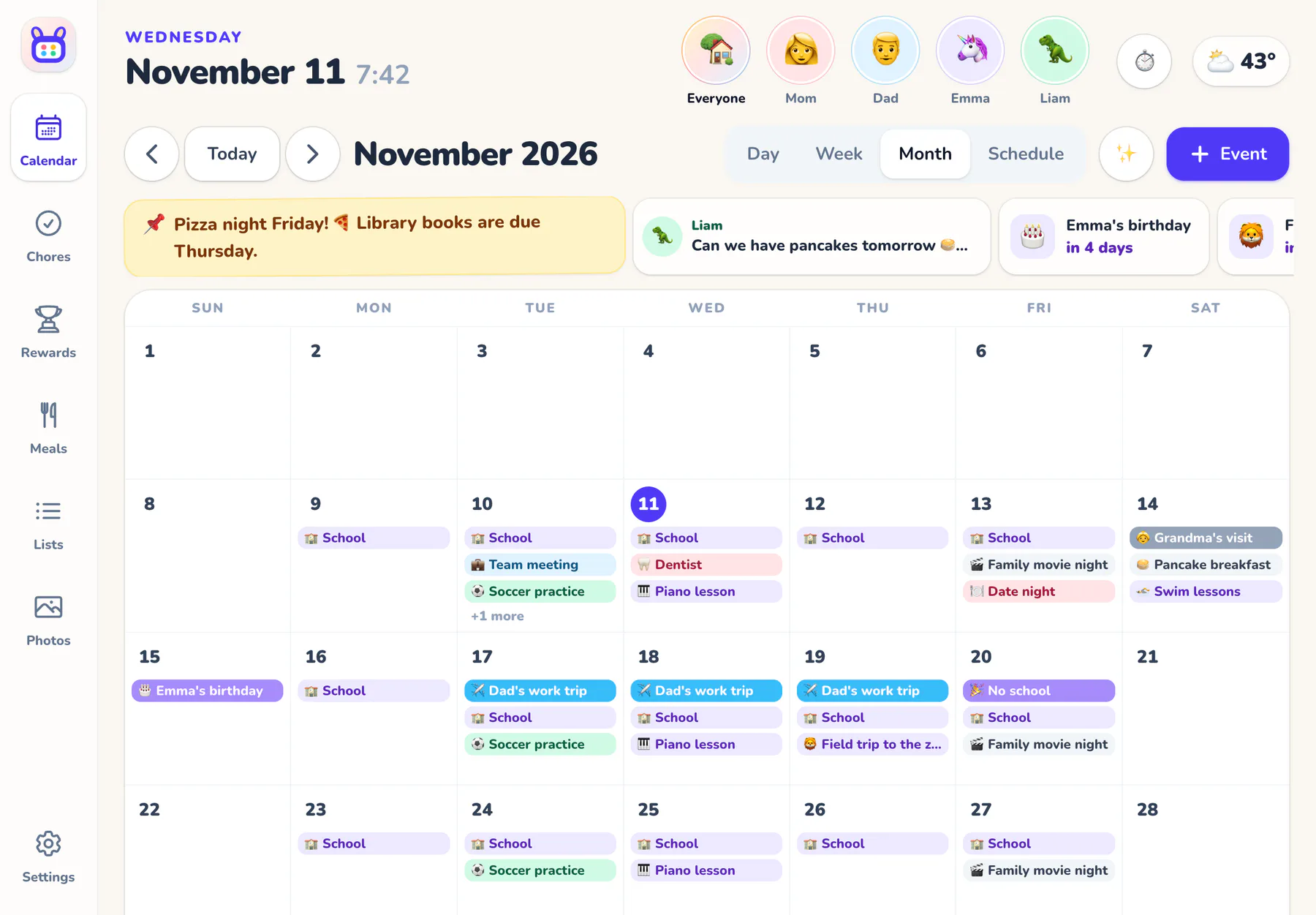
- Day, week, month and schedule views, with the weather on every day
- Google Calendar and Outlook, both ways, and you pick exactly which calendars come in
- School, sports and holiday calendars from any iCal link
- Double-booked? Overlapping plans for the same person get a ⚠️
- 🚗 Rides: who drops off, who picks up, and what still needs a driver
- Countdowns and birthdays the kids can see coming
✅ Chores and stars
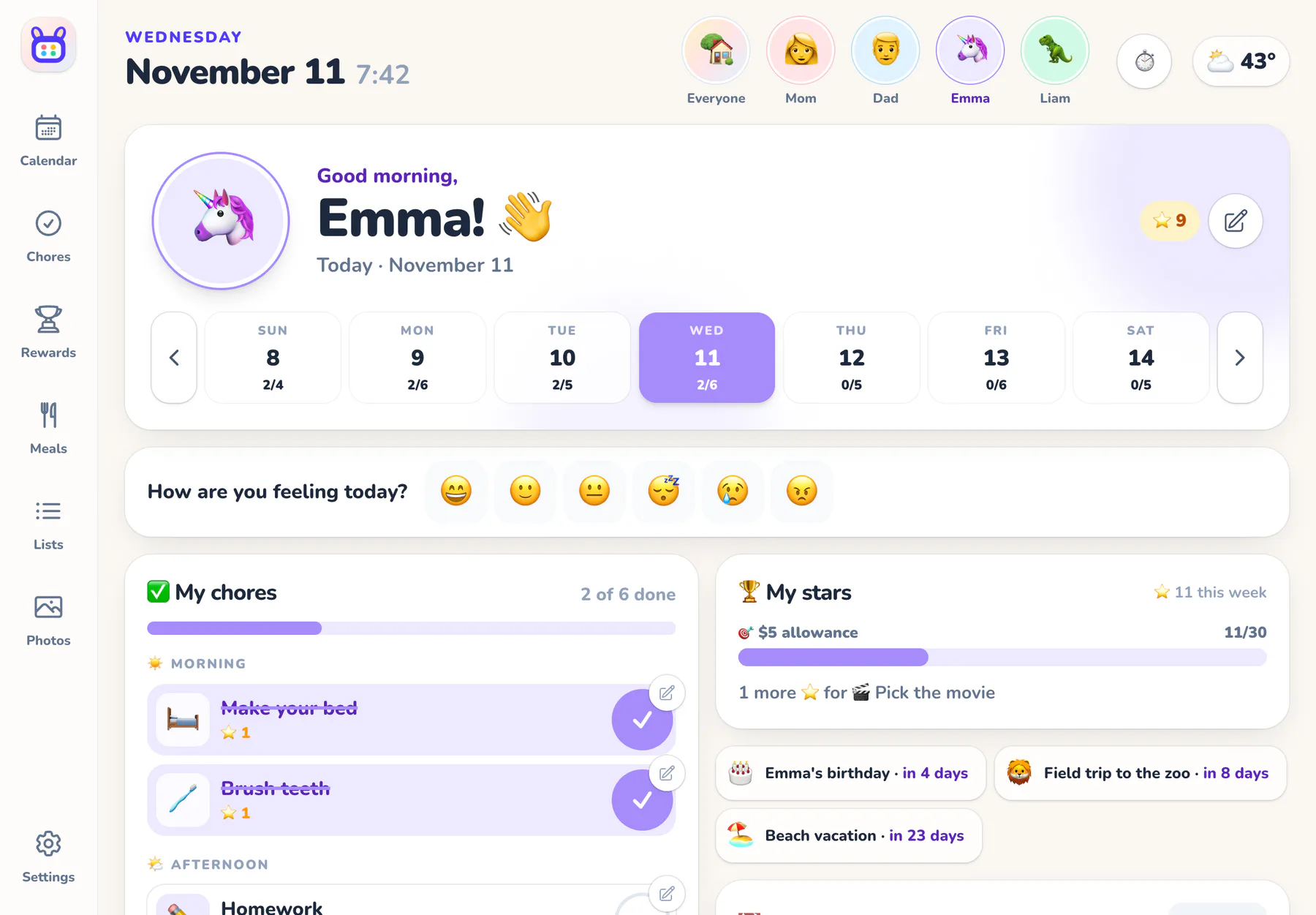
Chores they actually want to do
Morning, after-school and bedtime charts with big pictures and one-tap check-offs. Confetti and stars do the reminding for you.
- Everyone does it, take turns, or first one to finish it wins
- ⏰ Beat the clock: a done-by time counts down, like “12 min until the bus”
- Stars, 🔥 streaks and weekly goals, like an allowance
- Kids pick rewards from your list: screen time, a movie, a trip to the park
- Grown-ups can check a chore before its stars count
- Don't reward expected jobs? Switch stars off and chores stay simple checklists
🍽️ Meals
Dinner, decided
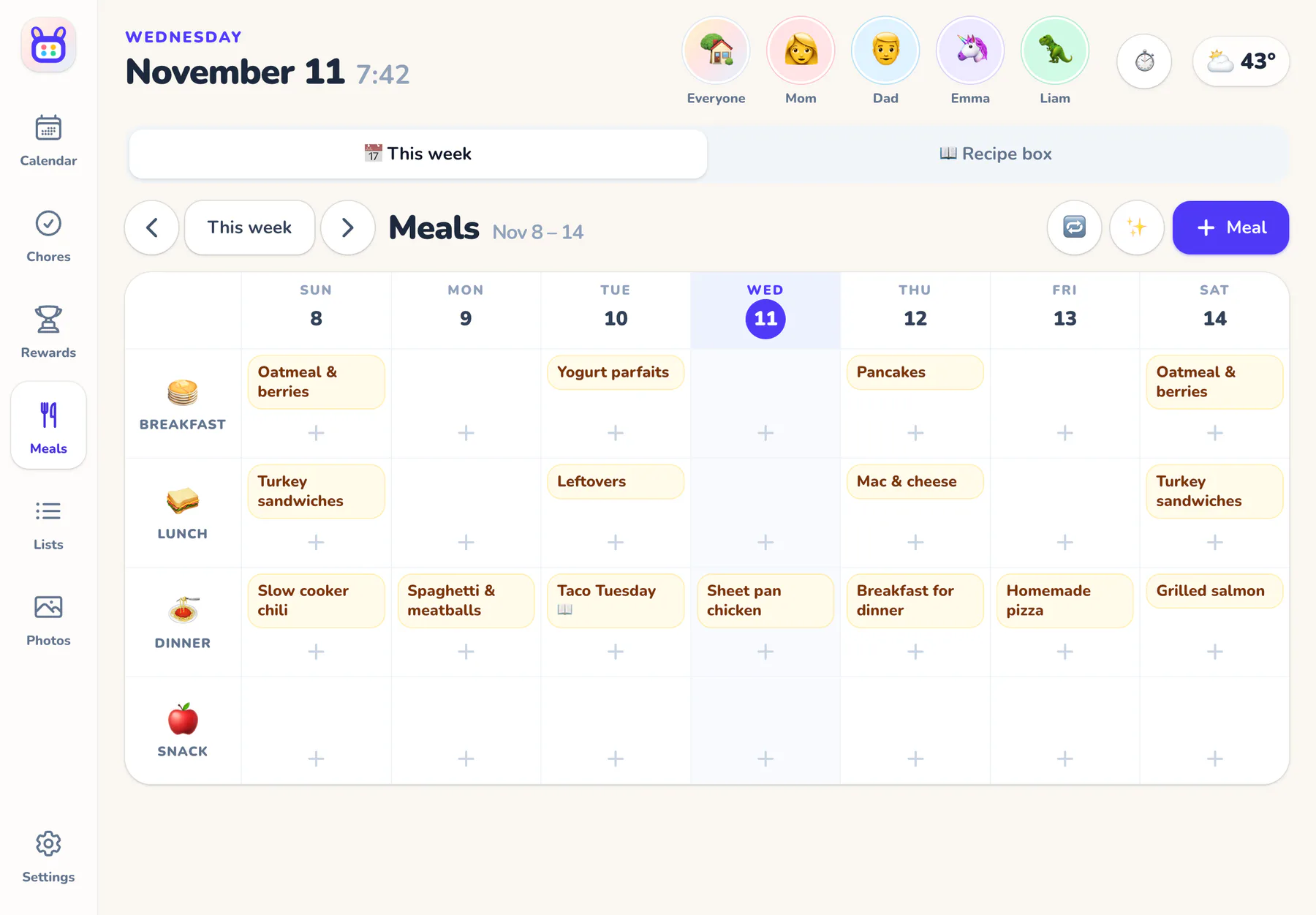
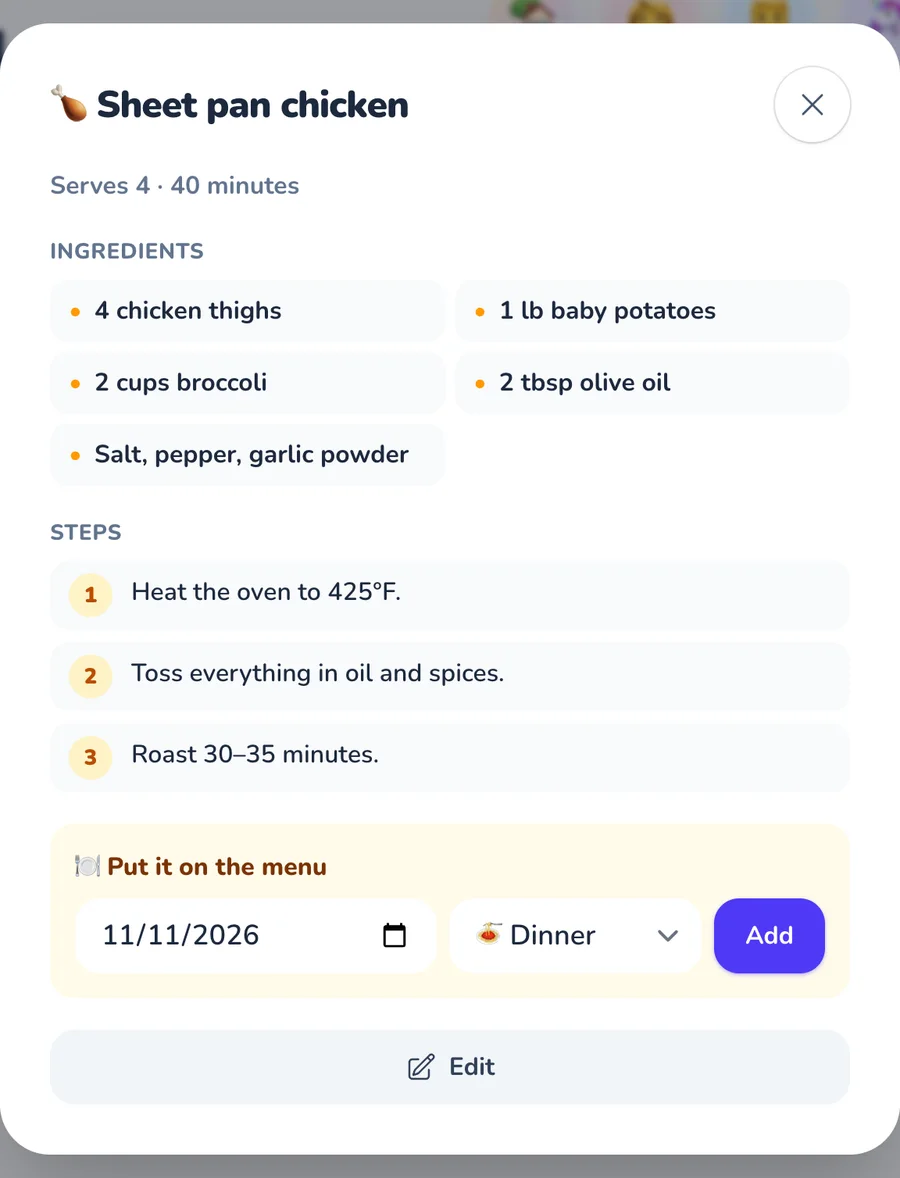
Plan the week's meals, keep the family's favorite recipes in one box, and send ingredients to the grocery list in one tap.
- Save recipes from any link, even TikTok and Pinterest videos
- “What can I make?” turns what's in the fridge into dinner ideas
- Copy last week's plan, or let the helper fill the empty nights
- Breakfast, lunch, dinner and snacks, on the wall for everyone
✨ AI helper
Snap it. Forward it. Tell it.
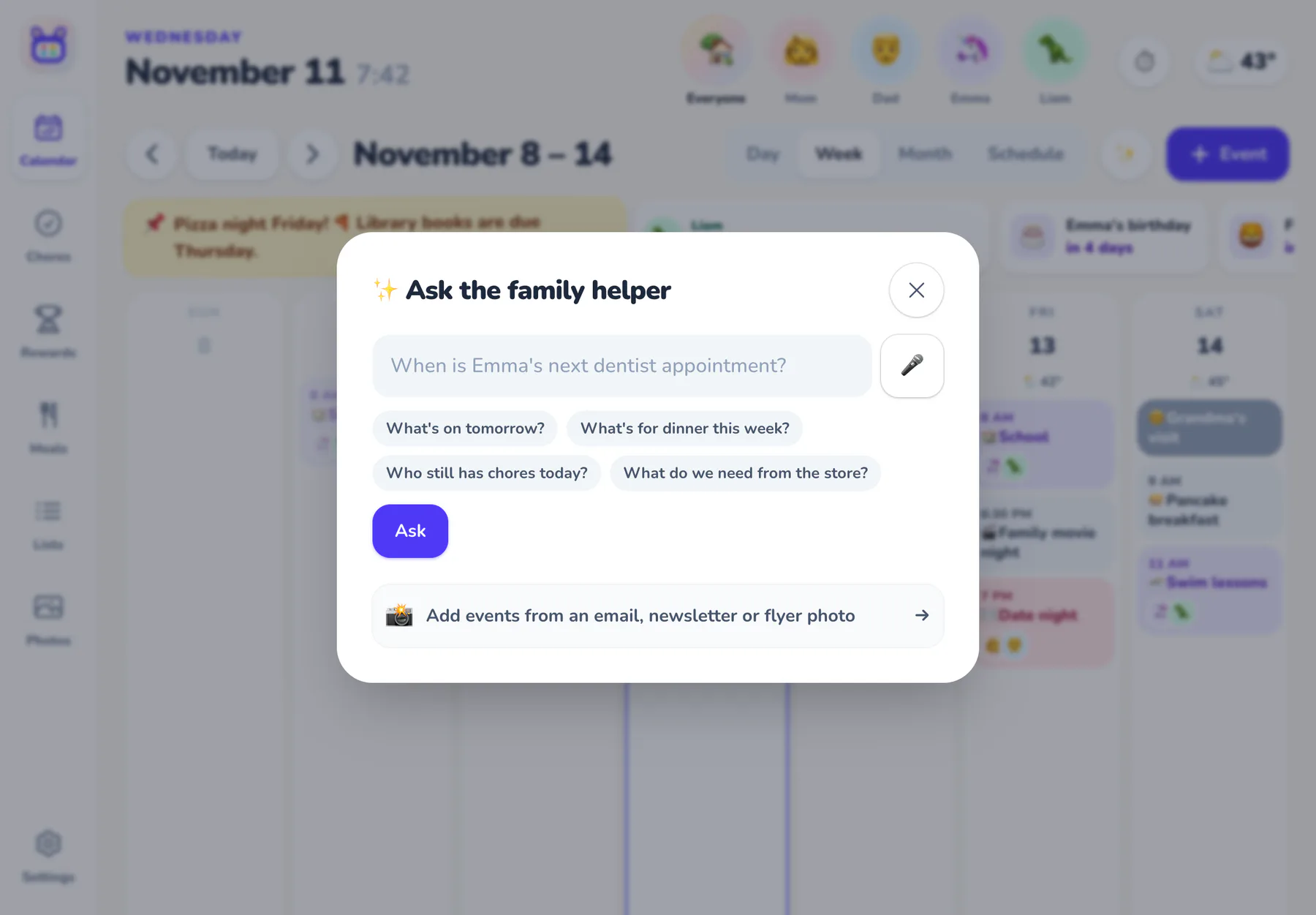
Photograph the soccer schedule, forward the school newsletter, or just say what you need. Rooday's helper turns the mess into events, checks what's already on the calendar, and a grown-up approves before anything lands.
- Photos of flyers and forwarded emails become events, minus the ones you already have
- “Add milk and eggs to groceries”, “Home by 6!”, “When's the dentist?”: one box does it all
- A short, friendly brief of the family's day every morning, on the wall and on your phone
- The family inbox sorts school, sports and invitations, and puts what's urgent first
- Grocery lists sort themselves by aisle
- Not for you? Turn the helper off and it's gone
🏠 Around the house
The fridge door, upgraded
All the little things a busy kitchen needs, on the screen everyone walks past.
🛒 Lists anyone can add to
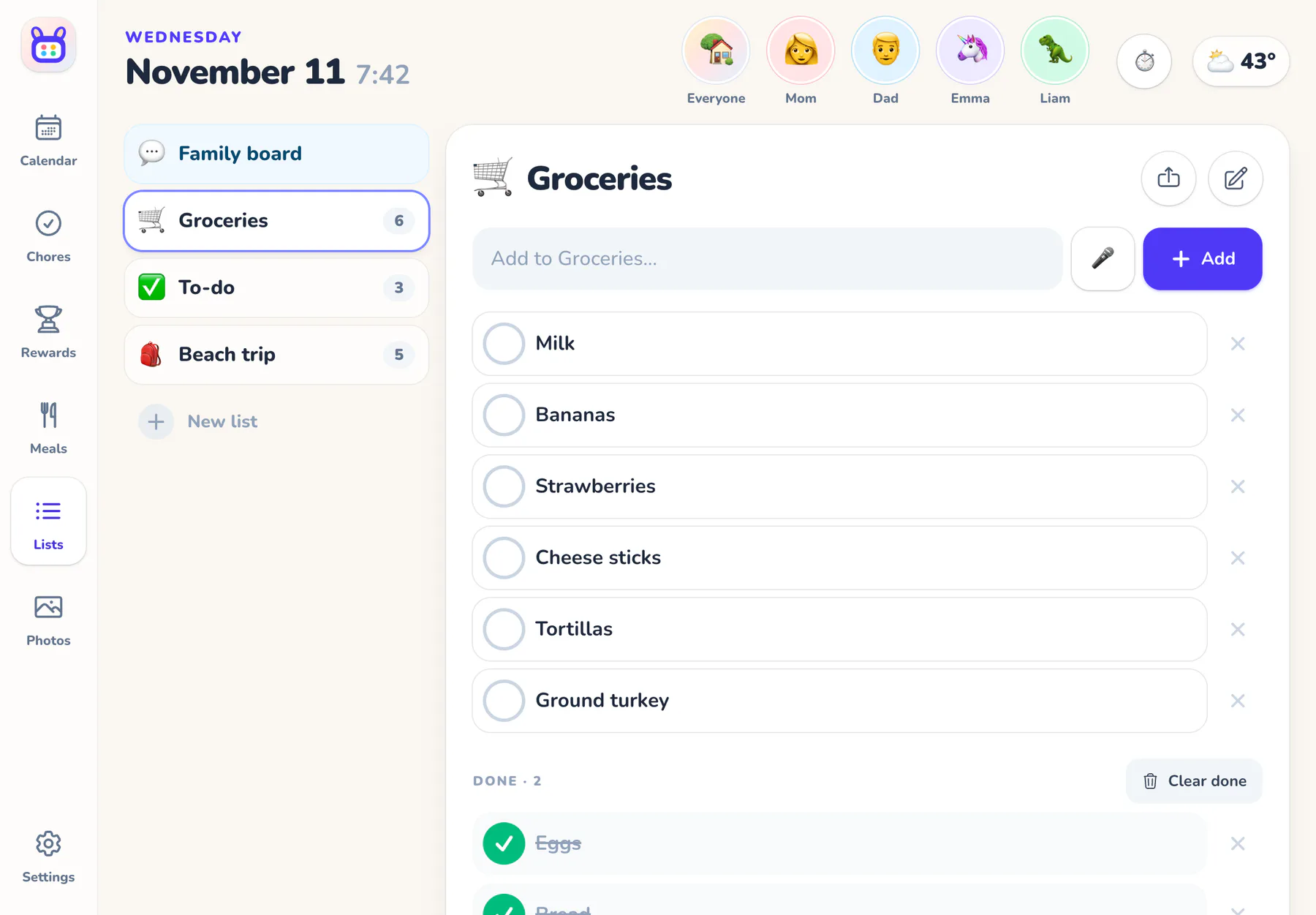
Groceries, to-dos and packing lists. Share them to your phone's Reminders or a delivery app.
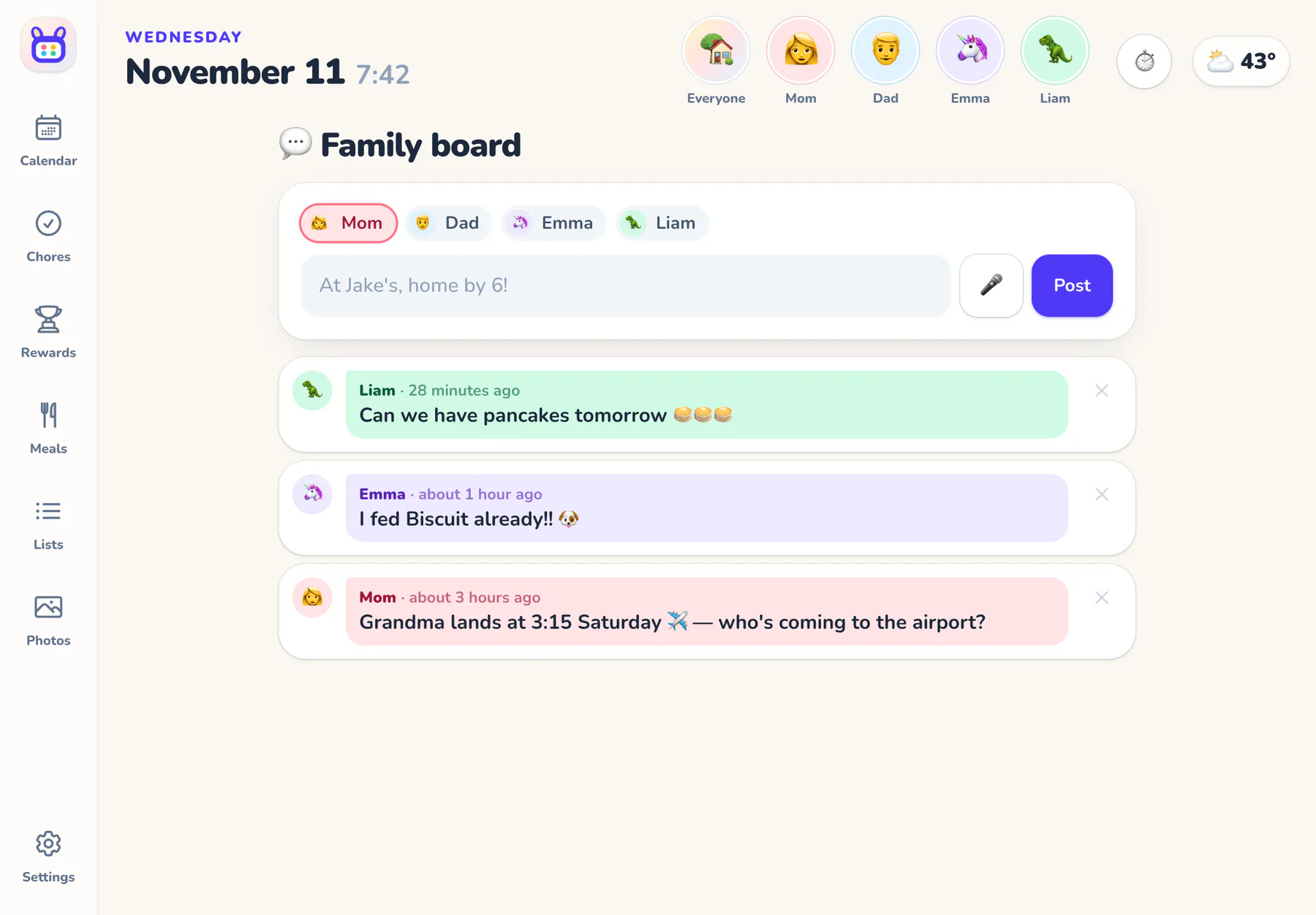
💬 A family message board
“At Jake's, home by 6!” Quick notes from anyone, and the newest shows on the calendar.
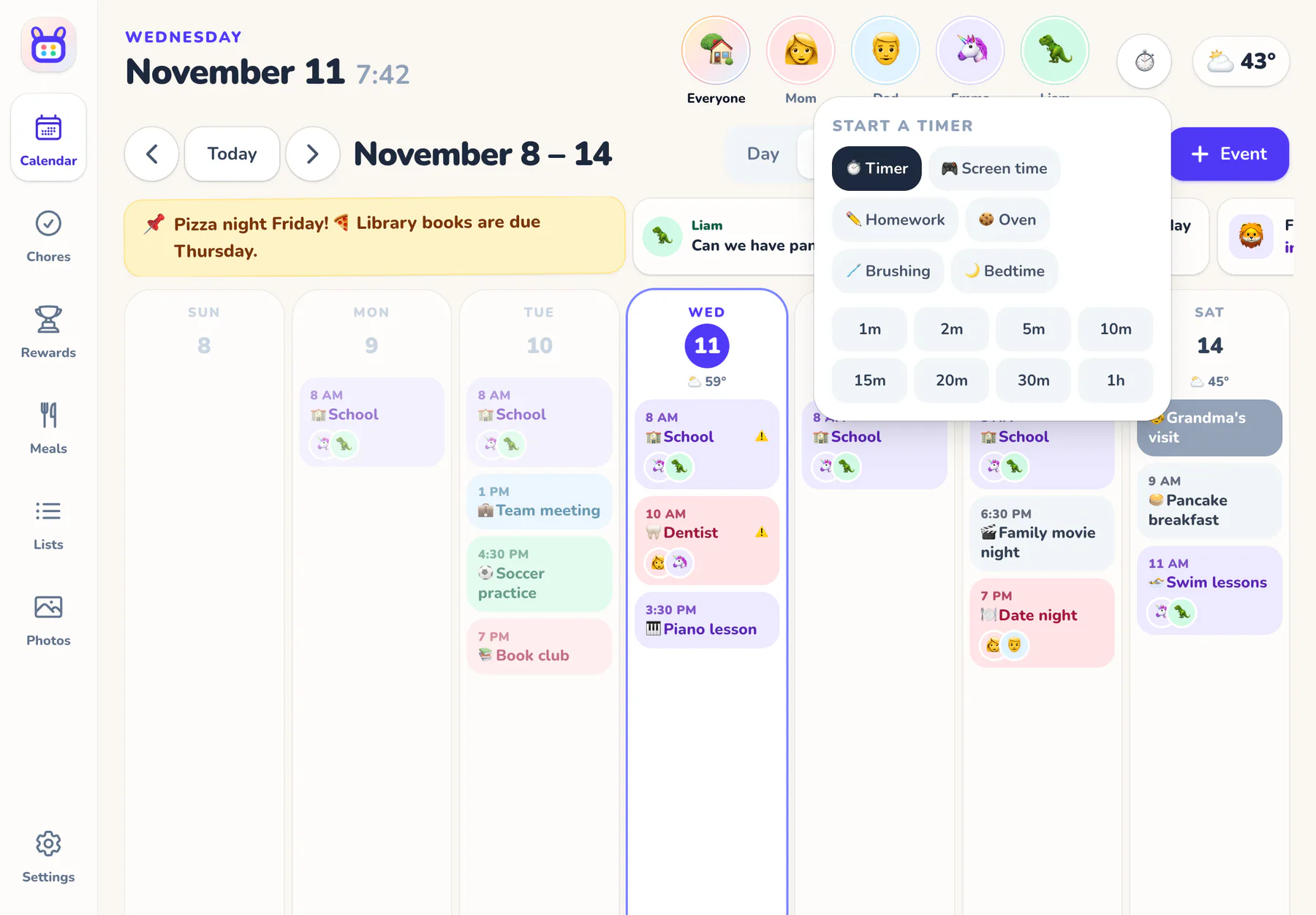
⏱️ Timers and alarms
Screen time, homework, the oven. Daily alarms for the bus and bedtime ring on the wall.
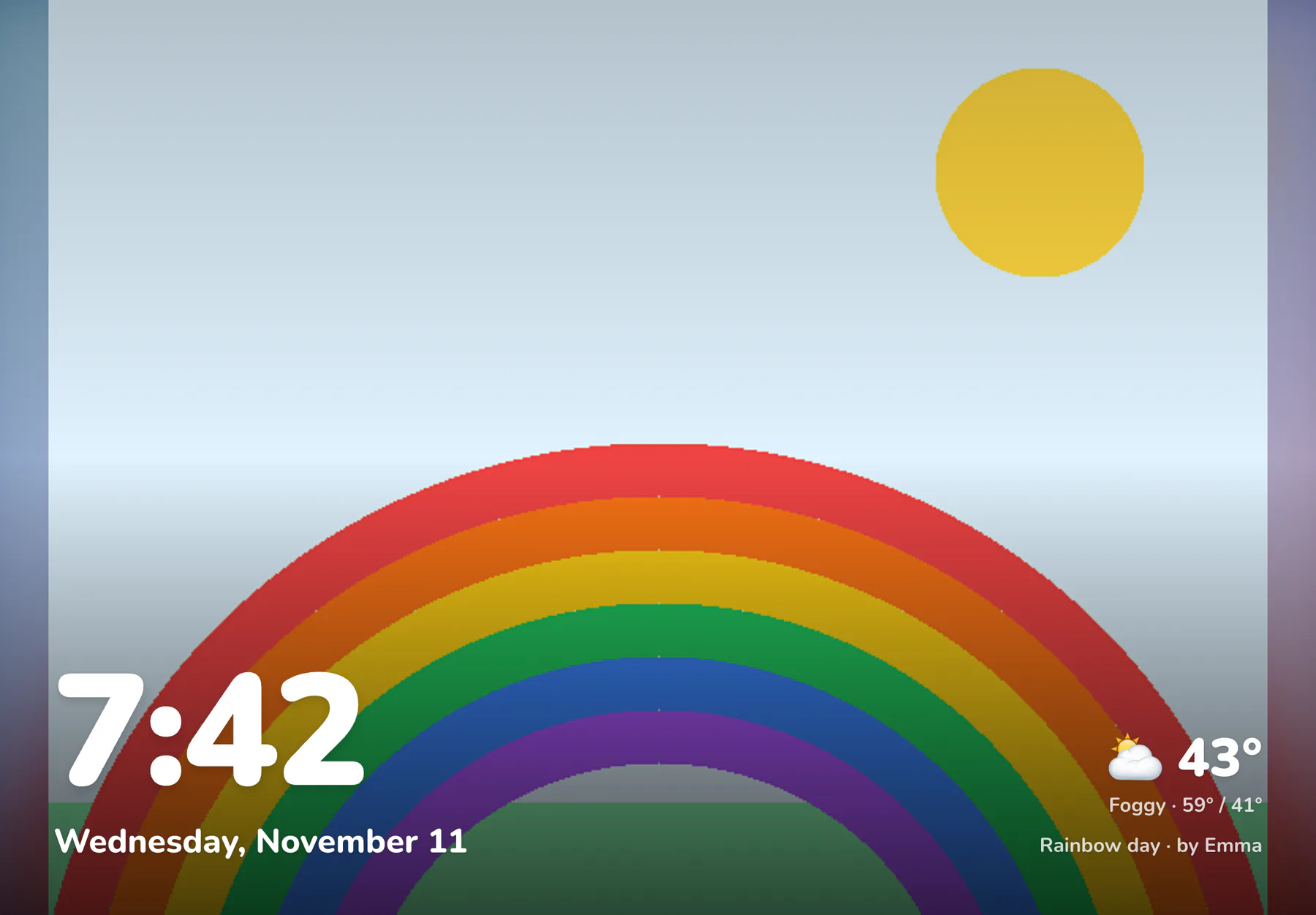
🖼️ Photos when nobody's looking
Family photos and kids' art with the time and weather, and a dim night mode.
📱 Every screen
One family. Every screen. The right view on each.
- The wall display
-
Everyone taps their face to switch. Photos when it's idle, dimmed at night, and back to the family calendar after a few quiet minutes.
- Grown-ups' phones
-
The Rooday app with everything: push reminders, the morning brief, and live alerts you can approve right there.
- A kid's own tablet
-
Only their chores, plans and stars, plus family things like dinner. Behind a parent PIN, so it stays that way.
📲 Apps for iPhone, iPad and Android
Rooday for iPhone, iPad and Android: push notifications, sharing lists to your phone, and a wall mode that keeps the screen awake. Free with your family's plan, and the web still works everywhere.
New devices join with a 6-digit code from Settings: no passwords on the kids' tablets.
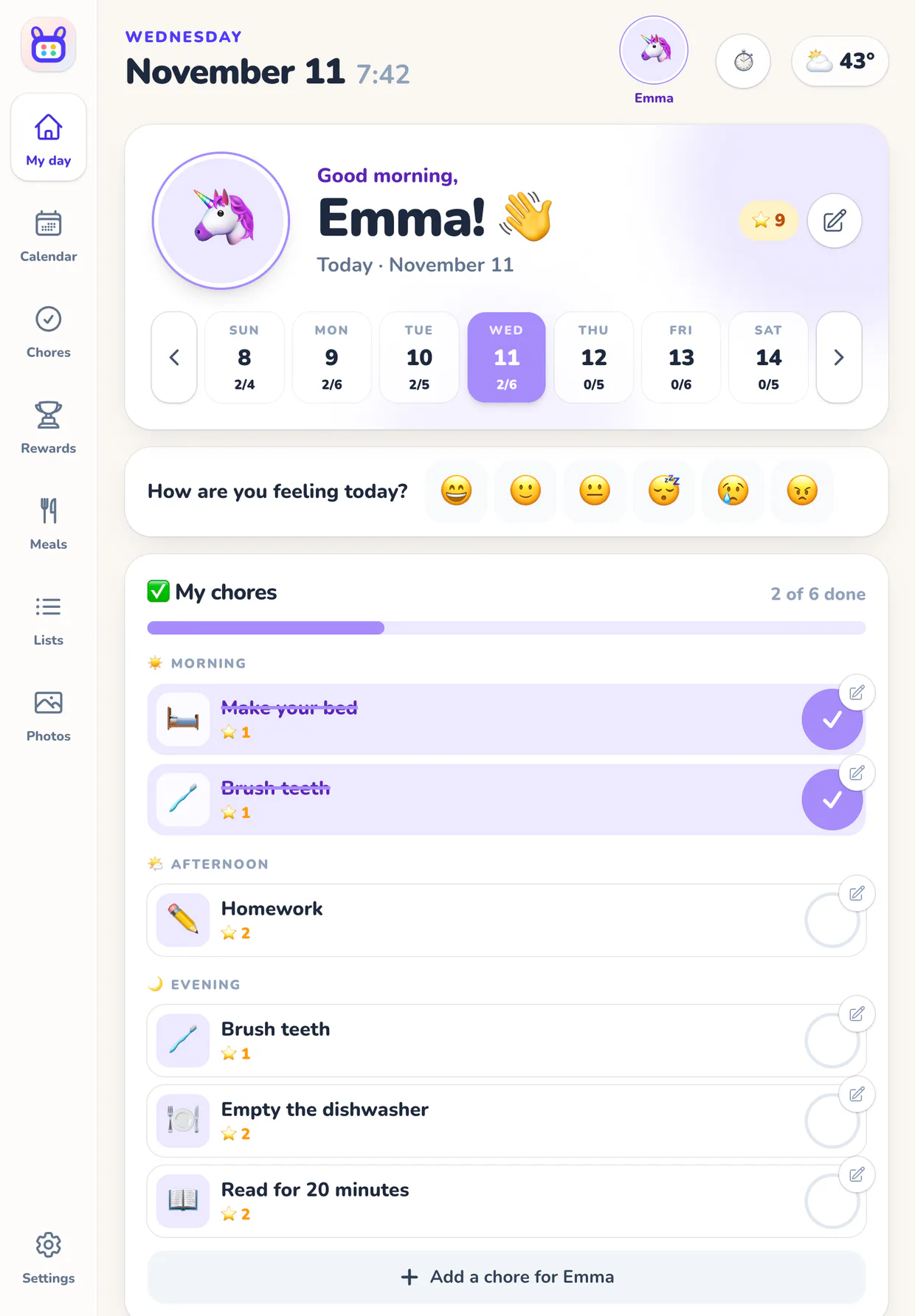
🎛️ Your family, your rules
Built around how your family works
Some families pay for chores. Some think helping out is just part of being a family. Rooday works either way: turn off anything that doesn't fit. Nothing is deleted. It just steps aside until you want it back.
- A setup wizard suggests chores by age and reward ideas: time together, privileges, treats, outings or money
- Stars for everything, stars only for extra jobs, or no stars at all
- Kids can check off chores, add to lists and ask for rewards. A 4-digit parent PIN guards the rest
🧩 What your family uses
Settings → What your family uses
- ✅ Chores On
- ⭐ Stars Off
- 🎁 Rewards Off
- 🍽️ Meal planning On
- 📝 Lists On
- 🖼️ Photo slideshow On
- 😄 Mood check-ins On
- ✨ AI helper On
- 🔔 Live alerts On
- 🚗 Rides On
- ☀️ Daily brief On
This family skips stars: chores are simple checklists.
🔌 Connections
Plays nicely with everything else
Bring in the calendars your family already lives in, and let Rooday talk to the rest of your home.
- Google Calendar Pick calendars. Send family events back.
- Outlook & Microsoft 365 Pick calendars. Send family events back.
- iCloud & any iCal link Subscribe with a link; updates every 30 minutes.
- TeamSnap, GameChanger, school Step-by-step help for team and school calendars.
- Holidays US, Canada, UK, Australia and religious holidays.
- Family email address Forward invitations, newsletters and flyer photos.
- Siri Shortcuts “Hey Siri, add milk and eggs to groceries.”
- Home Assistant & Zapier A family API and signed webhooks for automations.
- Push notifications Reminders, the morning agenda and reward requests.
- Weather Today and a 7-day forecast, with nothing to set up.
- Your phone's calendar Subscribe to the family calendar with a private link.
- Printable chore charts A weekly chart for the fridge or grandma's house.
⚖️ How we compare
The smart family display, without the hardware
Dedicated family displays cost $250 to $700 up front, and many lock their best features behind a second subscription. Rooday is one price for everything, on a screen you already own.
| Feature | Rooday | Skylight Calendar |
|---|---|---|
| Price | $10/mo or $96/yr, everything included | Plus plan: $79/yr |
| Hardware | None. Use a tablet you already have | $299.99 (15") to $599.99 (27") |
| 3-year cost | $288 | ~$537 |
| Wall display | Included: Your tablet | Included: Their screen |
| Stars and rewards | Included: Optional | Plus plan required |
| Meal planning and recipes | Included | Plus plan required |
| AI: events from flyers and emails | Included | Plus plan required |
| Photo screensaver | Included | Plus plan required |
| Feature | Rooday | Hearth Display |
|---|---|---|
| Price | $10/mo or $96/yr, everything included | Membership required: $9/mo, $86.40/yr or $207.36 for 3 years |
| Hardware | None. Use a tablet you already have | $699 (27") |
| 3-year cost | $288 | ~$906 |
| Wall display | Included: Your tablet | Included: Their screen |
| Stars and rewards | Included: Optional | Included |
| Meal planning and recipes | Included | Included |
| AI: events from flyers and emails | Included | Included |
| Photo screensaver | Included | Included |
| Feature | Rooday | Nori |
|---|---|---|
| Price | $10/mo or $96/yr, everything included | Free core plan; Plus $59.90/yr ($7.99/mo) |
| Hardware | None. Use a tablet you already have | Optional 15.6" Family Hub: $249 |
| 3-year cost | $288 | ~$429 |
| Wall display | Included: Your tablet | Included: $249 Hub |
| Stars and rewards | Included: Optional | Included |
| Meal planning and recipes | Included | Included |
| AI: events from flyers and emails | Included | Plus plan required |
| Photo screensaver | Included | Included |
| Feature | Rooday | Skylight Calendar | Hearth Display | Nori |
|---|---|---|---|---|
| Price | $10/mo or $96/yr, everything included | Plus plan: $79/yr | Membership required: $9/mo, $86.40/yr or $207.36 for 3 years | Free core plan; Plus $59.90/yr ($7.99/mo) |
| Hardware | None. Use a tablet you already have | $299.99 (15") to $599.99 (27") | $699 (27") | Optional 15.6" Family Hub: $249 |
| 3-year cost Cheapest way to get a wall display, where there is one | $288 | ~$537 | ~$906 | ~$429 |
| Wall display | Included: Your tablet | Included: Their screen | Included: Their screen | Included: $249 Hub |
| Stars and rewards | Included: Optional | Plus plan required | Included | Included |
| Meal planning and recipes | Included | Plus plan required | Included | Included |
| AI: events from flyers and emails | Included | Plus plan required | Included | Plus plan required |
| Photo screensaver | Included | Plus plan required | Included | Included |
Included in the price Plus plan Needs that paid plan — Not offered, or not in any of the vendor's material we found US list prices, checked November 12, 2026.
💛 Pricing
Simple, like it should be
One plan. The whole family.
Rooday Family
Everything Rooday does, for everyone in your house, on every screen you own.
$10 /month
or $96/year
That's $8/month: save 20%
No hardware to buy. Use a tablet you already have.
Everything included
- Unlimited family members, grown-ups and devices
- iPhone, iPad and Android apps, plus the web
- Wall display, kids' tablets and grown-ups' phones
- Live updates and alerts on every screen
- Day, week, month and schedule views
- Google Calendar and Outlook sync, both ways
- School, sports and holiday calendars
- Chore charts, stars, streaks and rewards
- Meal planner, recipe box and grocery lists
- AI helper: flyers, emails, recipe links and a daily brief
- Rides: who's driving to every practice
- Family board, timers and alarms
- Photo screensaver and night mode
- Push notifications and reminders
- Siri Shortcuts, Home Assistant and webhooks
Questions
Good to know
The things families ask before they hang it on the wall.
Do I need to buy a special screen?
No. Rooday runs on a tablet you already have: the Rooday app on an iPad or Android tablet, or the web browser on a Fire tablet or any computer. Older iPads work too, as long as they run iPadOS 16.4 or later. Hang it on the wall, stand it on the counter, or plug it in by the fridge.
How much does it cost?
One plan for the whole family: $10 a month, or $96 a year (that's $8 a month). Everything is included, with unlimited family members, grown-ups and devices. Try it free for 30 days first.
How do kids use it without their own accounts?
Kids are profiles, not logins. On the wall display they tap their face to see their day. Giving a kid their own tablet? Pair it with a 6-digit code and it shows only their chores, plans and stars, plus whole-family things like dinner and the grocery list.
Is there a phone app?
Yes. Rooday has apps for iPhone, iPad and Android, and it works in any web browser too. The apps are free with your family's plan: push notifications for reminders, the morning brief and reward requests, a wall-display mode that keeps the screen awake, and sharing lists to Messages or Reminders. Everything you change shows up on every other screen right away.
What happens when someone changes something on another screen?
It shows up everywhere within a second or two, with no refreshing. Interesting things pop up as live alerts: when Liam checks off a chore that needs your OK, an alert with an Approve button appears on your phone. A screen that was asleep or offline catches up the moment it's back.
Will it mess with my Google or Outlook calendar?
You choose exactly which calendars come in. They're read-only in Rooday. If you want family events copied back out, pick one calendar for that; Rooday never writes anywhere else.
We don't reward kids for expected chores. Is Rooday still for us?
Yes. Turn stars off and chores are simple checklists, or give stars only for extra jobs. Every feature (chores, stars, rewards, meals, lists, photos, moods and the AI helper) can be switched off in Settings.
What does the AI helper see?
Only what you give it: a flyer photo, a forwarded email, a recipe link, or a question you ask, plus your family's plans for the day so it can write the morning brief and answer questions. Events it finds wait for a grown-up to approve, ones already on your calendar are flagged so nothing lands twice, and you can turn the helper (or just the brief) off completely.
Can grandparents or a co-parent join?
Yes. Invite them by email and they get their own sign-in, on their own phone, at no extra cost. Everyone sees changes as they happen.
Give your family a home base
A friendly setup wizard walks you through it: add your family, pick your calendars, and hang the tablet where everyone walks by.
$10/month after your trial · No hardware to buy