Features
Everything your family needs, on one friendly screen
Everything below is in every Rooday plan. There are no add-ons, and you can switch off whatever your family doesn't need.
✨ New in Rooday
Fresh this season
-
iPhone & Android apps
Native apps for iPhone, iPad and Android: push notifications, sharing and a wall mode that stays awake.
-
Live alerts
Chores to approve and rewards to give pop up on your phone, with the button right there. No refreshing.
-
Rides
Who's driving to practice and who's picking up, with a heads-up when nobody is.
-
Beat the clock
Chores with a done-by time count down on the wall before the bus.
-
Daily brief
A few friendly sentences about the family's day, every morning.
-
Tell Rooday
One box (or the mic) for questions, list items, notes and new plans.
-
Nothing lands twice
Magic import and the family inbox spot events you already have.
-
Aisle-sorted groceries
Shopping lists put themselves in store order.
📅 Calendar
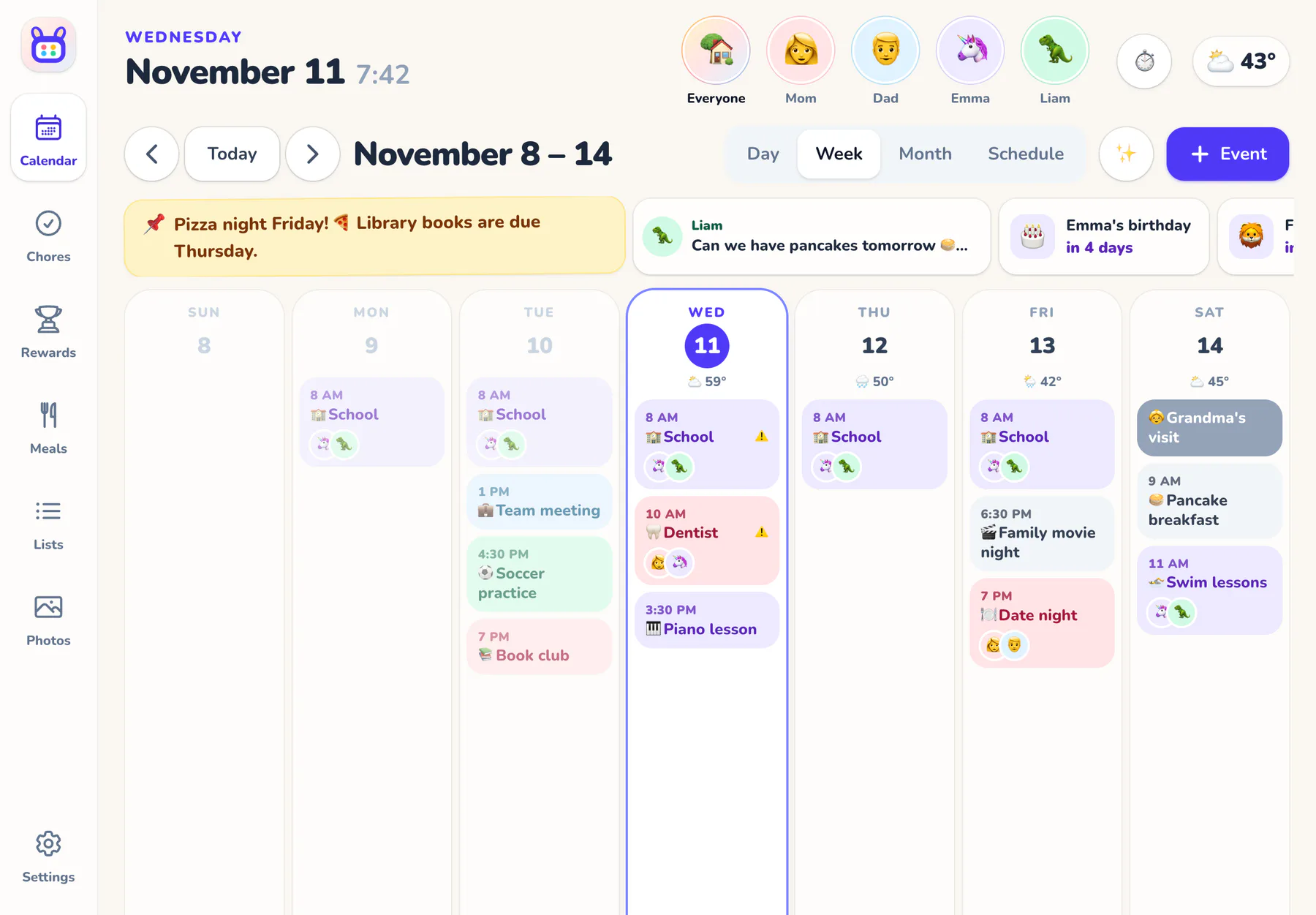
One calendar for the whole family, readable from across the room.
-
Four ways to look
Day (an hour grid), week, month and a scrolling schedule. Pick the one the wall opens to.
-
A color for everyone
Events for one person, a few, or the whole family, with everyone's avatar on them.
-
Repeats that make sense
Daily, weekdays, weekly, every two weeks, monthly or yearly, with an end date. Skip a single day.
-
Double-booking warnings
Overlapping plans for the same person are flagged on the calendar and on the event.
-
Rides
Who drops off and who picks up for every practice and party, what still needs a driver, and a heads-up when one grown-up is booked in two places.
-
Reminders per event
From 5 minutes to the day before, on everyone's phone. Or use the family default.
-
Birthdays and countdowns
“Beach trip in 12 days” and birthdays from each profile, right where kids can see them.
-
A pinned family note
“Pizza night Friday!” across the top of the calendar for everyone.
-
Weather built in
Today's weather and a 7-day forecast, with nothing to set up.
✅ Chores and stars
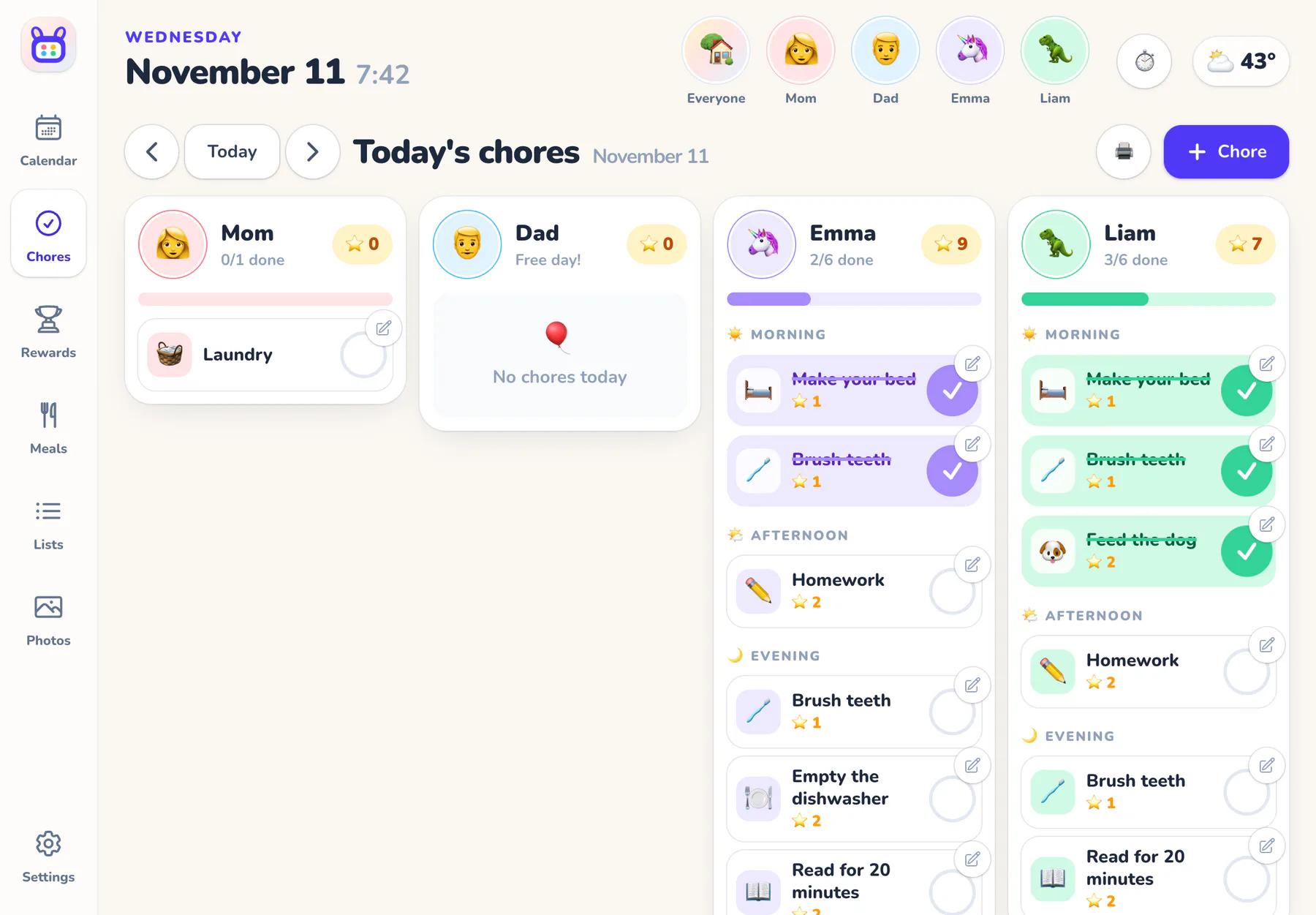
Routines kids can follow on their own, with as much or as little reward as your family likes.
-
Morning, afternoon and evening
Charts grouped by part of the day, every day or only on certain days.
-
Beat the clock
Give a chore a done-by time and it counts down on the wall: “12 min left” before the bus.
-
Fair ways to share
Everyone does it, take turns (it rotates each time), or first one to do it.
-
One-tap check-offs
Confetti, stars and 🔥 streaks for days with every chore done.
-
Grown-up check
Optional: a grown-up approves a chore before its stars count, right from the alert on their phone.
-
Rewards
Kids ask for rewards from your list, no PIN needed. You give them, or say not yet and the stars go back.
-
Weekly goals
A star goal per kid, like an allowance, plus bonus stars for kindness and extra help.
-
Mood check-ins
Kids pick how they feel today, and it shows on their avatar.
-
Printable charts
A weekly chore chart for the fridge, a babysitter or grandma's house.
🍽️ Meals and recipes
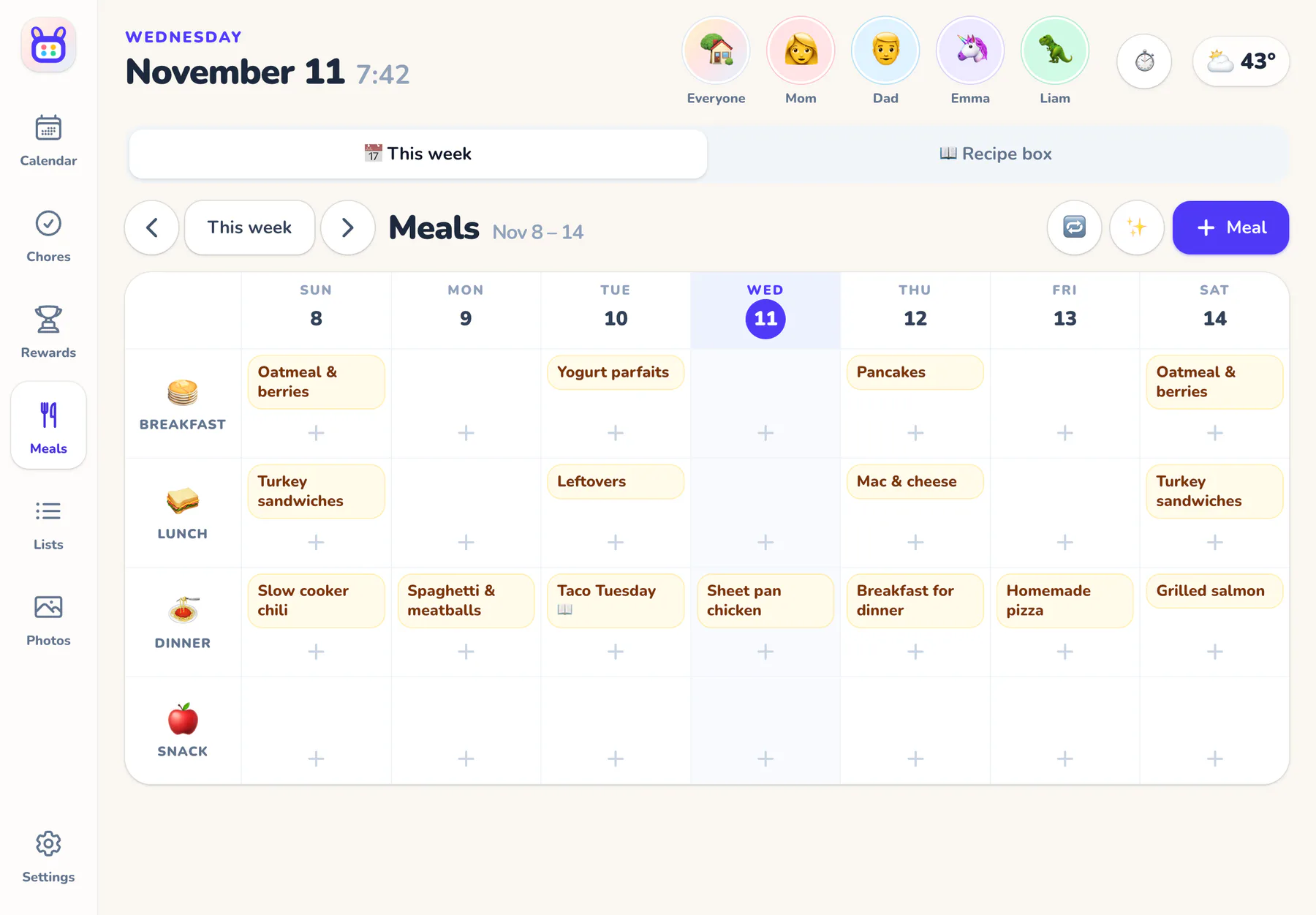
Decide dinner once a week, and stop being asked “what's for dinner?” every night.
-
Weekly planner
Breakfast, lunch, dinner and snacks for every day, on the wall for everyone.
-
Recipe box
The family's favorites with servings, time, ingredients and steps. Search it in a tap.
-
Save from a link
Any recipe website, plus TikTok, Pinterest and other pages the AI helper can read.
-
“What can I make?”
Type what's in the fridge and get dinner ideas you can save or put on the menu.
-
Fill the week
The helper suggests dinners for the empty nights: quick, no fish, one veggie night…
-
Straight to the list
A recipe's ingredients go onto the grocery list in one tap.
-
Copy last week
Liked last week? Copy it into the empty spots of this one.
📝 Lists and the family board
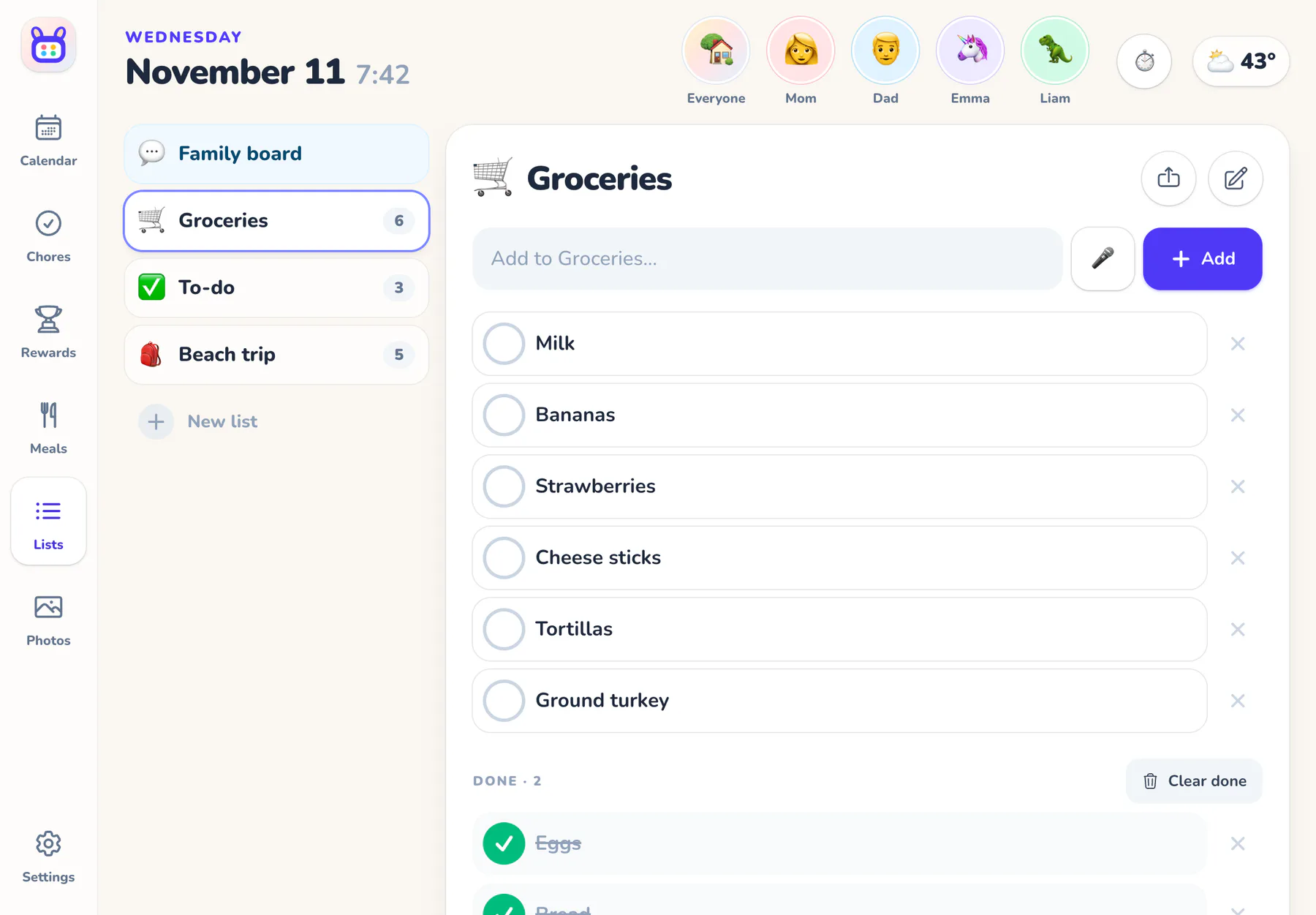
The fridge door's job, done better.
-
Shared lists
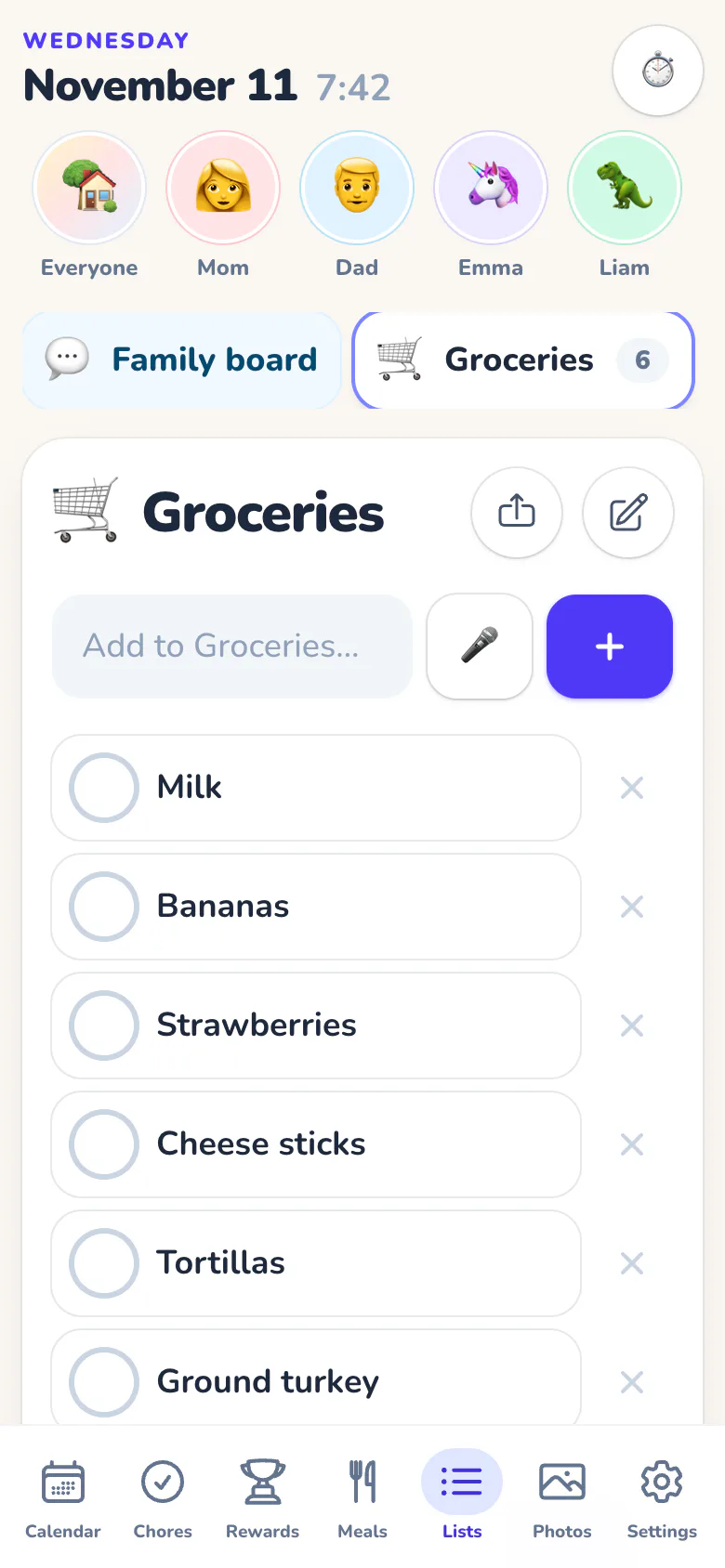
Groceries, to-dos and packing lists that anyone can add to and check off. Give a to-do to someone.
-
Sorted by aisle
Grocery lists sort themselves into fruit and veg, dairy, frozen and more, so the shop goes in one lap.
-
Say it or paste it
Tap the mic and say what you need, or type “milk, eggs, bananas” to add three at once.
-
Share anywhere
Send a list to Messages, Reminders or a delivery app from your phone's share sheet.
-
Family board
Quick notes from anyone: “At Jake's, home by 6!” The newest one shows on the calendar.
-
Hey Siri
“Add milk to groceries” and “What's on today?” with Siri Shortcuts.
✨ AI helper
For the paperwork that comes with kids. It suggests; you decide.
-
Flyers to events
Snap the soccer schedule or the birthday invitation and pick the events to add.
-
Nothing lands twice
Events that are already on your calendar are spotted and left unticked, even when the wording is different.
-
The daily brief
Each morning, a few friendly sentences about the day: who's where, who's driving, what to bring.
-
Tell Rooday
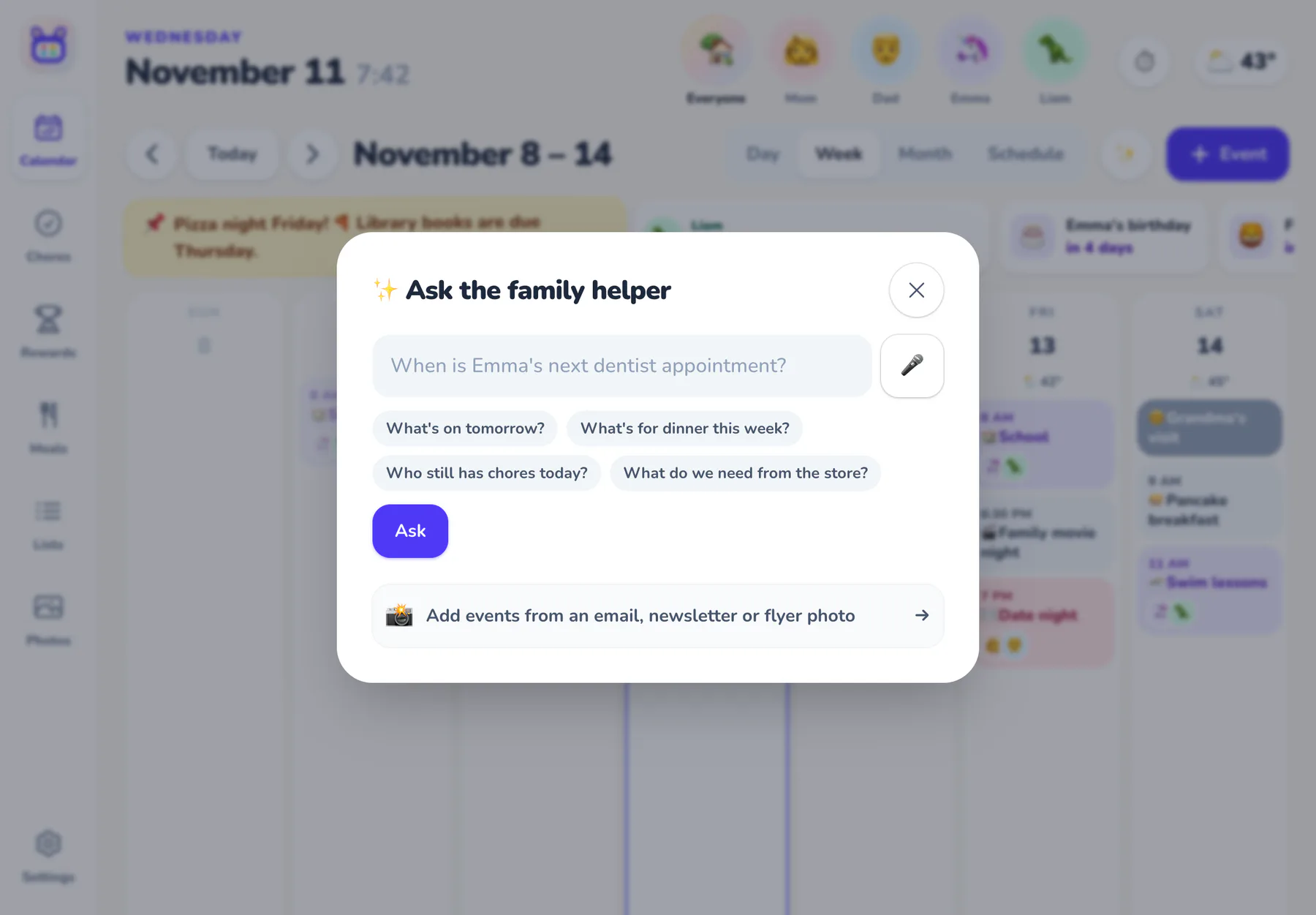
One box for anything: “add eggs to groceries”, “home by 6!”, “dentist Tuesday at 3”, or a question.
-
Newsletters to events
Paste the school newsletter. The dates come out; you choose which ones stay.
-
A family email address
Forward emails, invitations, flyer photos and calendar invites. They're sorted by kind, urgent ones first, waiting for a grown-up.
-
Ask about your week
“When's the dentist?” “Who still has chores today?” “What do we need from the store?”
-
Talk instead of type
A mic button wherever you'd type, on devices that support dictation.
-
Off means off
Turn the helper off in Settings and it disappears everywhere.
🖼️ The wall display
Made to be looked at all day, and lovely when nobody is.
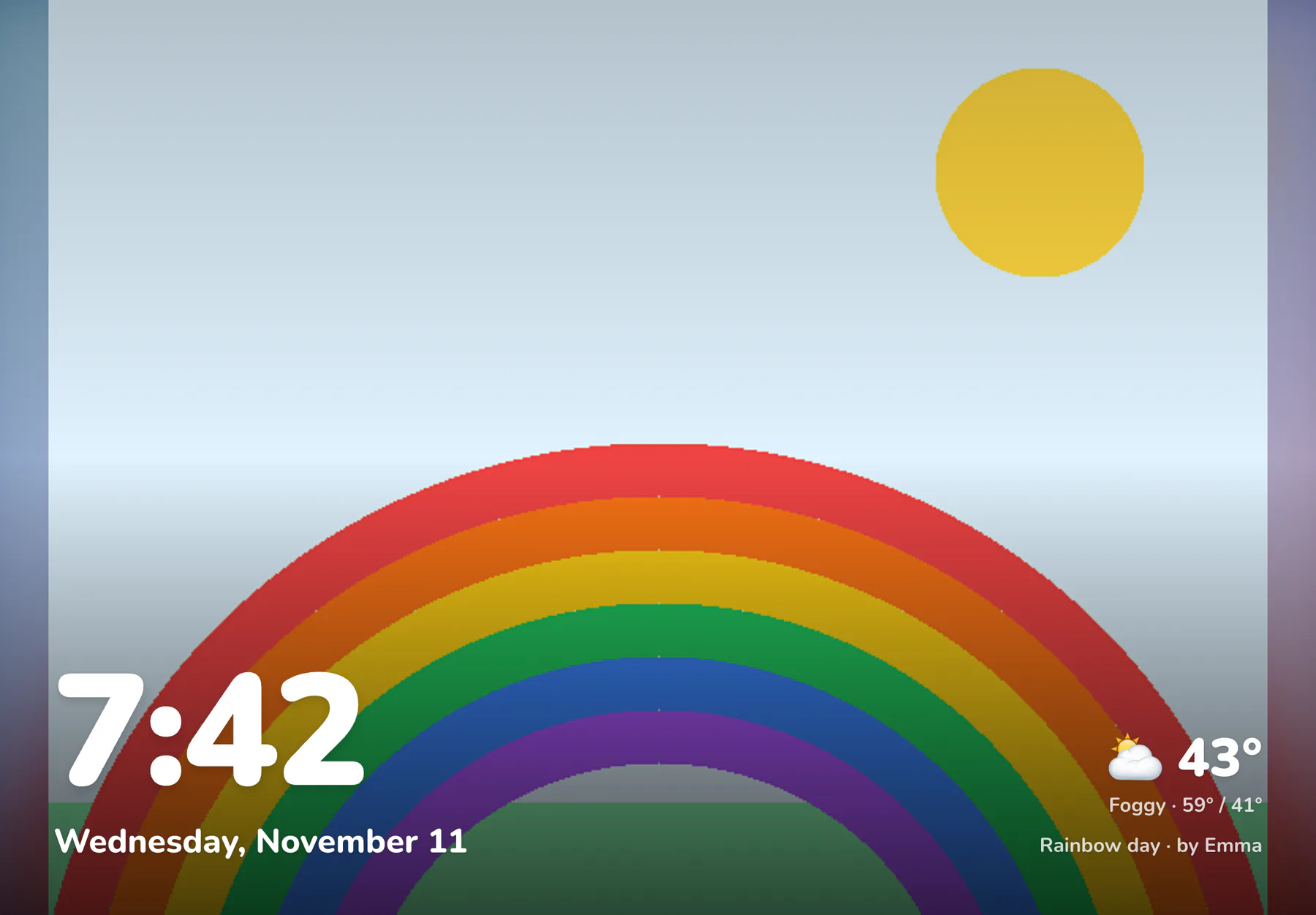
-
Tap a face
Everyone switches to their own day by tapping their avatar. No logins.
-
Photo screensaver
Family photos and kids' art when the screen is idle, added from any phone.
-
Night mode
Dims on a schedule so it isn't a night-light.
-
Back home
After a few quiet minutes it heads back to the family calendar.
-
Timers
Screen time, homework, the oven. A big friendly alert when time's up.
-
Alarms
Daily or weekday alarms for the bus, practice and bedtime.
-
Always current
Changes from any phone appear right away, and after a Wi-Fi blip it catches up on its own.
-
Live alerts
“Emma asked for screen time.” Little pop-ups when something happens, with a button to say yes.
📱 Phones and kids' tablets
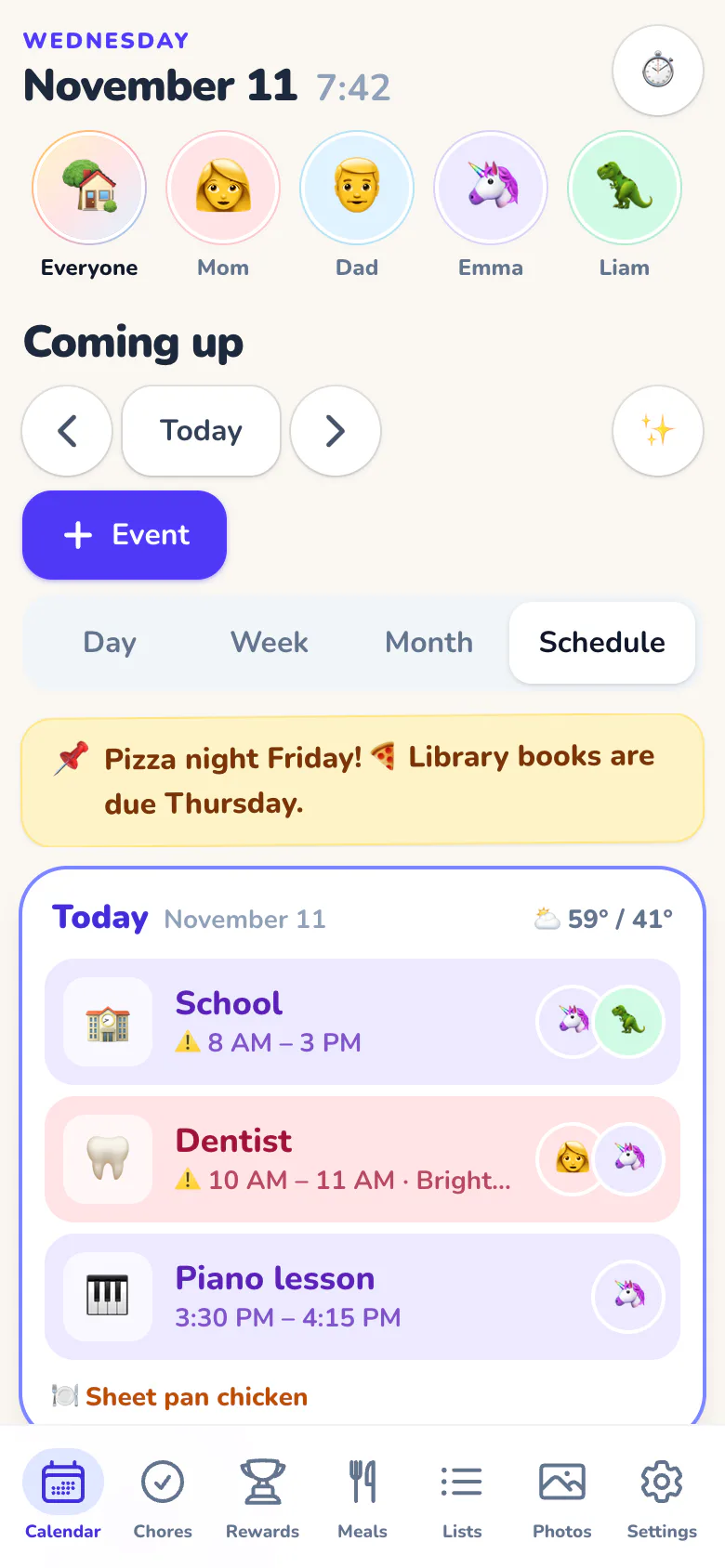
Everyone gets the right view, wherever they are.
-
iPhone, iPad and Android apps
Native apps with push notifications, list sharing and a wall mode that stays awake. Or use any browser.
-
Push notifications
Event reminders, a morning agenda, an evening chore nudge and reward requests.
-
A kid's own tablet
Only their chores, plans and stars, plus whole-family things. They can't switch it back.
-
Pair with a code
New devices join with a 6-digit code. No passwords on kids' tablets.
-
Grown-ups join free
Invite a co-parent or grandparent by email. They get their own sign-in.
-
Your phone's calendar too
Subscribe to the family calendar from Apple, Google or Outlook with a private link.
🎛️ Grown-up controls
Your family, your rules.
-
Parent PIN
Kids check off chores, add to lists and ask for rewards. Everything else asks for a 4-digit PIN, which stays unlocked for 15 minutes.
-
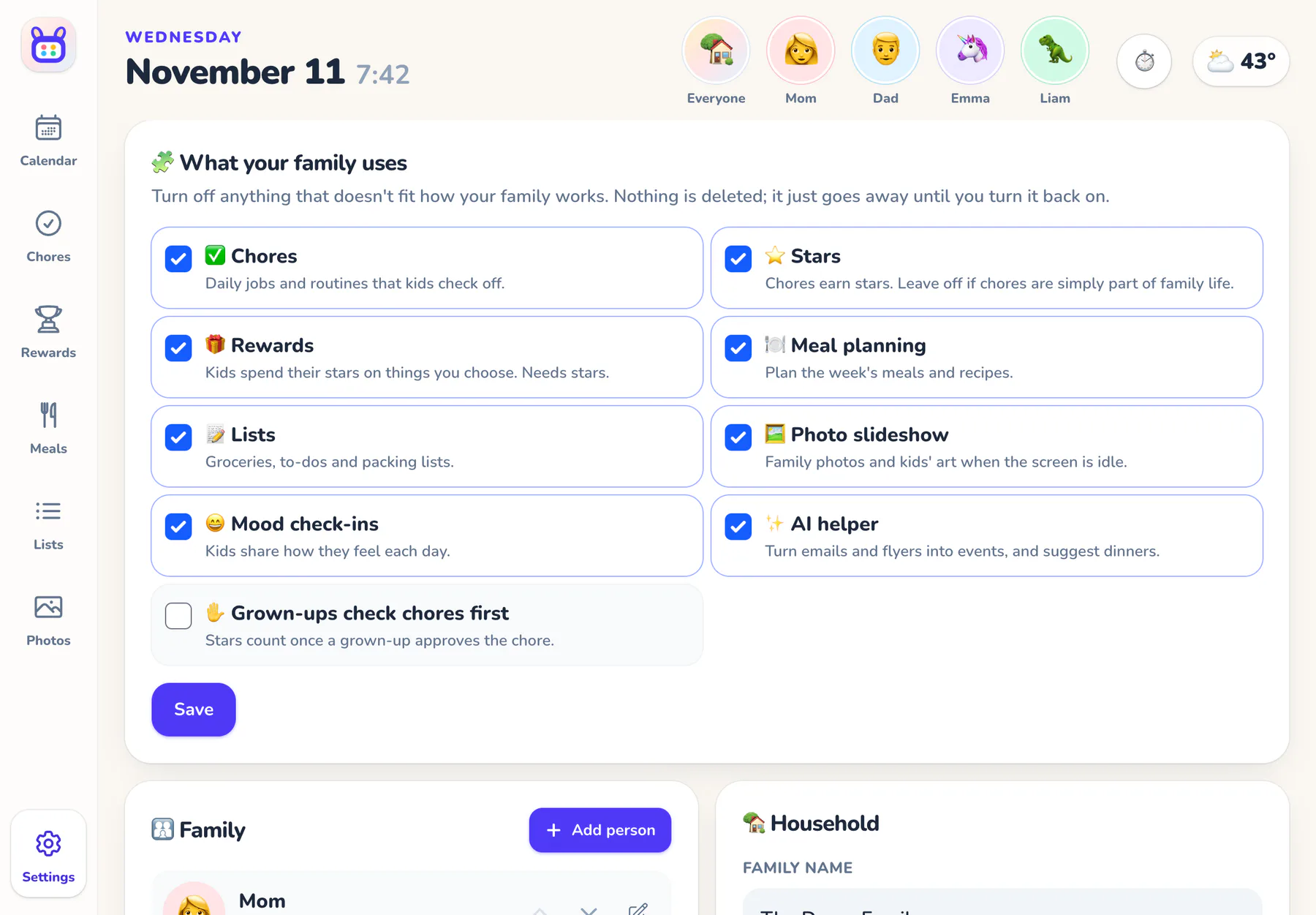
Feature switches
Chores, stars, rewards, meals, lists, photos, moods, live alerts, rides, the daily brief and the AI helper: keep what fits.
-
A setup wizard
Who's in the family, how you feel about rewards, chores suggested by age and reward ideas.
-
Your home view
Open to day, week, month or schedule.
-
Your way
°F or °C, weeks that start on Sunday or Monday, your time zone.
-
Keys and webhooks
A family API for Home Assistant and Zapier, with signed webhooks.
All of it, one price
$10/month or $96/year for the whole family, after a 30-day free trial. No hardware to buy.
$10/month after your trial · No hardware to buy