About Rooday
A home base the whole family can read
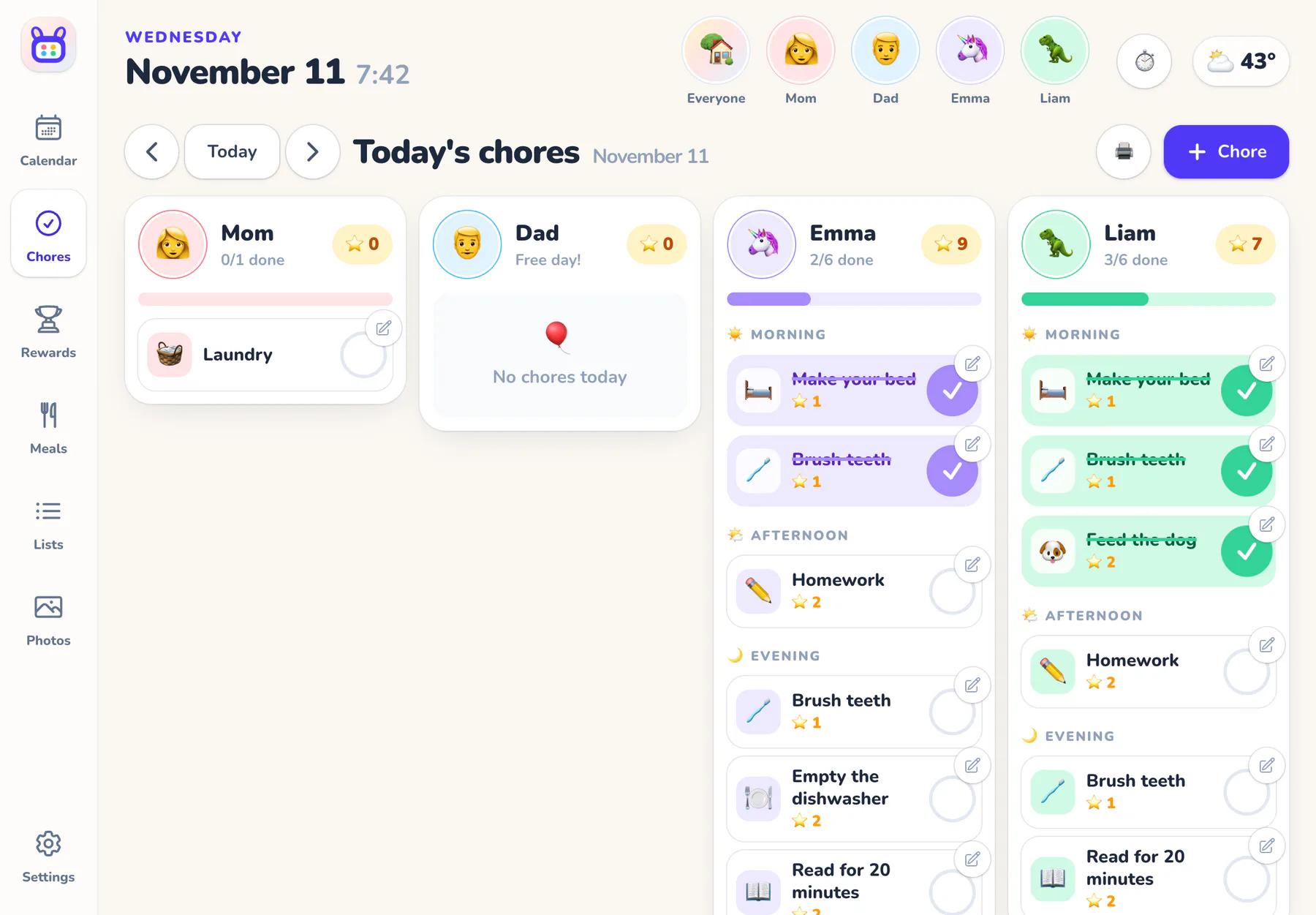
In most homes, the family's plans live in one grown-up's head and phone. Rooday moves them to the wall, where the kids can see their day, check off their chores and know what's for dinner without asking.
rooday
Why “Rooday”? It rhymes with today, and that's what it shows: your family's day, on the wall, with a kangaroo's knack for keeping its little ones close. Our mark is a family calendar whose binder rings are a roo's ears, with one dot for each family color.
Made by 5n2 Labs
What we believe
Four promises
Calm, not busy
Big type, soft colors and nothing flashing. A family calendar should lower the temperature in the kitchen, not raise it.
Kids first
If a five-year-old can't use it, it isn't done. Tap your face, see your day, check it off.
Your family, your rules
Stars or no stars, AI or no AI. Every feature can be switched off, and nothing is deleted.
No lock-in
No special hardware. Start on an old iPad, move to a bigger screen, add phones and kids' tablets whenever you like.
How it works
Kids are profiles. Grown-ups are in charge.
One grown-up signs up, and the wall display stays signed in to the family. Kids don't need accounts or passwords: they're a name, a color and an avatar.
- 1 Sign up and meet the wizard Add your family, decide how you feel about stars and rewards, and pick chores and calendars.
- 2 Set a parent PIN Kids can check off chores, add to lists and ask for rewards. The PIN guards everything else.
- 3 Pair your screens The wall tablet, grown-ups' phones and kids' own tablets join with a 6-digit code.
- 4 Hang it where everyone walks by Open the Rooday app (or add it to the Home Screen), keep it plugged in, and let it run the day.
Give your family a home base
A friendly setup wizard walks you through it: add your family, pick your calendars, and hang the tablet where everyone walks by.
$10/month after your trial · No hardware to buy